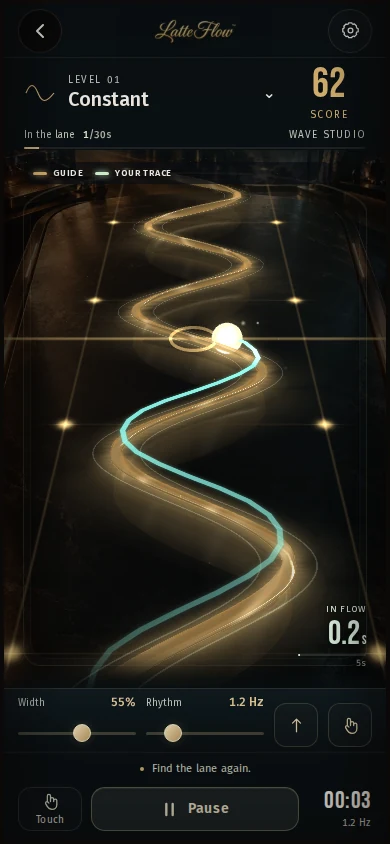
Tilt or touch to follow the golden wave. You get a score for rhythm and control, then the next level.
RHYTHM · CONTROL02
Concept art
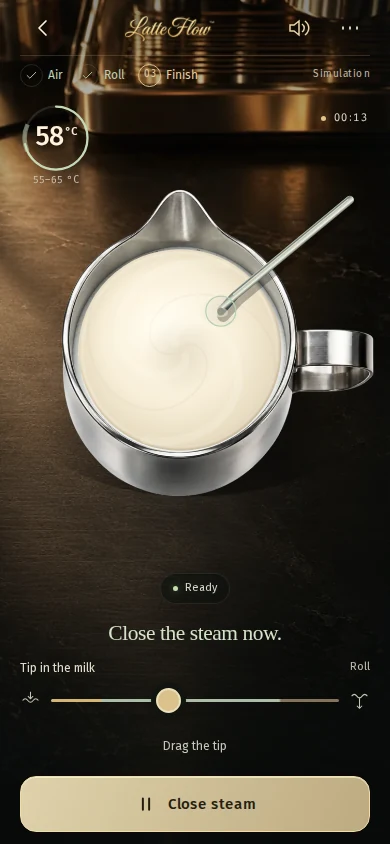
Steam
Set wand depth, angle and when to stop. You see temperature and texture, then one tip to fix.
TEXTURE · SOUND03
Concept art
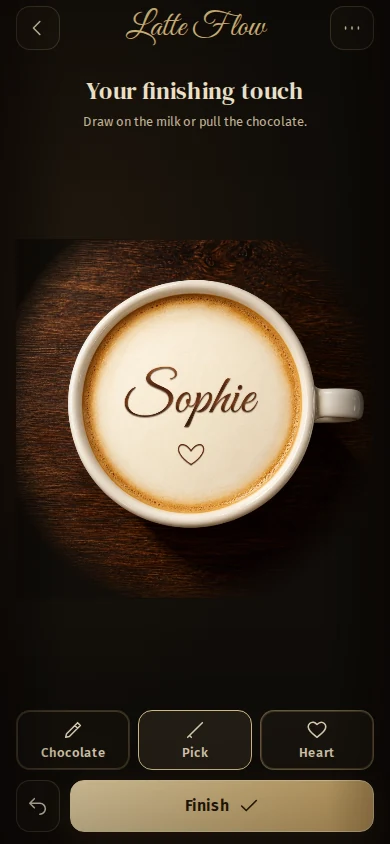
Write
Create a named coffee with chocolate details. Make a vertical video or use the camera to practise on a real cup.
LINE · CREATIVITY
Real interface demonstrationFlowReal interface demonstrationSteamReal interface demonstrationWrite
follow the wave
HOW IT WORKS
Follow the wave. Find your rhythm.
Tilt to pour.The sensor measures the phone’s tilt to move the guide.
Stay in the corridor.Gold is the target line. Yours runs on top of it.
Pour the real recipe.Fill the base, wiggle or stack, then cut through the top — the same stages as in the cup.
Amplitude and speed under your thumb
Heart, tulip, rosetta and swan by stages
Graded on line, speed, symmetry, consistency and flow
Before you startTouch works on any screen, no sensor needed.
Demo
Follow the wave for 10 seconds
Static preview: a golden wave with a dot to follow. In training, your finger keeps the milk on the line.
Drag up and down inside the box to keep the dot on the wave.
THE COACH
It tells you what to fix, while you pour.
Hold the rhythmOpen the wristToo fast on the returnThat's it — keep itSteady nowHold the rhythmOpen the wristToo fast on the returnThat's it — keep itSteady now
Training simulation. Scores assess your in-app gesture, not the result in a real cup.
“I built this the way I teach at the bench: texture first, rhythm second, signature last. The phone just keeps score while your wrist learns.”
Paulo Posteral · Q-Grader · founder, La Regence Barista School
What if I don't have an espresso machine?
Flow and Steam work as simulators. Write lets you create digital coffees; camera practice needs a prepared cup, a squeeze bottle and a phone stand. #
Can I cancel?
Yes, from inside the app, at any time. Access runs to the end of the period you already paid for. #
Is it really graded, or just a score animation?
Flow and Steam evaluate simulator actions. Write offers digital creation and a camera guide; it does not measure squeeze pressure or grade real-world technique. #
How many devices?
Up to three of your own devices with one VIP, restored by a sign-in link sent to your e-mail. #
Which languages?
Six: English, Portuguese, Spanish, German, Korean and Chinese — this page and the game. #


 BARISTA TRAINING